
Professional Document Conversion
Document to HTML Conversion Built for the Modern Web
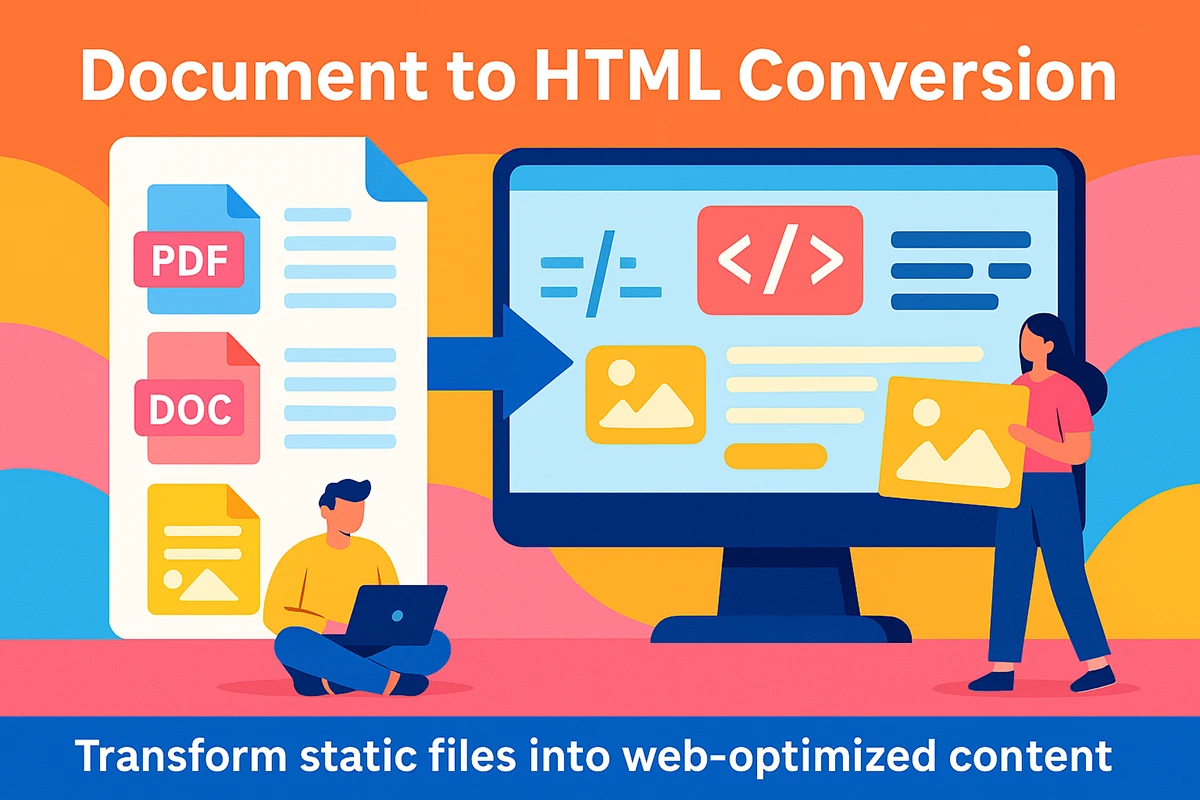
Document to HTML Conversion transforms PDFs, Word files, spreadsheets, presentations, scanned pages, and other static materials into responsive web content that is easier to find, read, update, and reuse.

A Better Home for Important Content
Document to HTML Conversion Turns Static Files Into Living Web Content
A document can look polished and still be difficult to use on a website. A PDF may preserve a carefully designed page, but that fixed page does not automatically adapt to a phone. A spreadsheet may hold valuable data, but visitors should not have to download a file, locate the right worksheet, and pinch a wide grid just to find one answer. Word files, presentations, manuals, reports, and scanned pages create similar friction when they are treated as finished web content.
Document to HTML Conversion rebuilds that information for the environment where people will actually use it. Instead of placing a file behind a download link and asking every visitor to work around its limitations, we identify the content hierarchy, reading order, tables, images, links, calls to action, and reusable patterns. Those parts are then organized into responsive sections that belong inside the website.
This work is more than exporting a document as a web page. Automated exports often carry over excessive inline styles, empty elements, broken lists, duplicated formatting, and code that is difficult to maintain. Complex tables can become unreadable on narrow screens. Decorative elements may be announced as content, while important relationships are lost. A professional conversion separates useful information from document-only formatting and rebuilds the presentation with deliberate HTML and CSS.
The result can support visitors, content editors, and the broader website strategy at the same time. People can read the information without opening another application. Search engines can better understand content that has clear headings, descriptive links, and logical sections. Editors can update one paragraph, table row, image, or link without recreating and uploading an entire file. The content can also be connected to related services, resources, products, or contact paths.
Minnesota Design Studio can convert a single high-value document, a family of related files, or a larger resource library. The right approach depends on the source quality, page count, layout complexity, tables, images, accessibility goals, website platform, and how the content should be maintained after launch. We plan the structure around those needs so the finished pages feel like a natural part of your website rather than a collection of imported files.

Why HTML Works Better
Build Content Around the Reader, Not the File Format
Clean HTML gives the same information more room to adapt, connect, and remain useful as devices, websites, and content needs change.
Responsive by Design
Page sections can resize, stack, and reflow for desktop, tablet, and phone screens. Visitors read the content in the browser without zooming a fixed page or scrolling through a document viewer.
Responsive structure also gives the design room to preserve readable type, useful spacing, and clear actions at narrow widths.
Easier to Discover
Descriptive headings, crawlable links, and focused page topics help search engines understand the information in context. Google describes SEO as helping search engines understand content while helping people decide whether a result is useful.
Clearer Content Structure
HTML elements give meaning to headings, lists, tables, figures, links, and sections. That structure supports browsers, search tools, assistive technology, and future content reuse.
The HTML Living Standard defines the semantics and structure used to build web documents.
Practical to Maintain
Editors can revise individual sections without reopening a source document, recreating its layout, exporting a new file, and replacing every link to it.
Shared components and deliberate styles also make it easier to keep a larger content library consistent as the website evolves.
Files and Content We Convert
Document Conversion for Simple Pages and Complex Source Material
Each source format creates a different set of decisions. We preserve the information and the useful visual hierarchy while choosing web patterns that fit the content.
PDF to HTML
Reports, brochures, guides, catalogs, policy documents, program materials, and other PDFs can be separated into logical web sections. We account for columns, callouts, footnotes, images, captions, links, and repeated page elements.
The goal is not to imitate every page boundary. It is to preserve meaning and brand character in a format that works naturally online.
Word and Google Documents
Text-heavy files often provide a useful editorial starting point, but heading styles, manual spacing, pasted images, lists, tables, and document-specific formatting still need review.
We convert that source into a clean page hierarchy and remove unnecessary formatting so future edits remain predictable inside WordPress or another CMS.
Spreadsheets and Data Tables
Excel and Google Sheets content may need true HTML tables, responsive comparison cards, grouped data, summaries, or a combination of patterns. Wide columns and multi-level headers require special planning.
We choose a structure that protects relationships and keeps the most important information usable on smaller screens.
Presentations and Slide Decks
Slides are designed for sequence and live explanation, while web pages need durable context and nonlinear navigation. We translate titles, talking points, charts, images, and supporting notes into sections people can understand on their own.
Related slides may become one focused page, a series of resources, or a structured landing page.
Scanned and Image-Based Pages
Scanned manuals, forms, historical materials, and image-only PDFs may require text recognition before conversion begins. Recognition can accelerate extraction, but names, numbers, punctuation, reading order, and unusual layouts still need careful verification.
Important images can be retained with appropriate captions or descriptions while decorative material is handled separately.
Manuals, Reports, and Resource Libraries
Large document sets benefit from a shared content model. Repeated chapters, notices, data panels, downloads, related links, and navigation can be planned once and applied consistently.
This approach turns an archive into a connected web resource instead of creating dozens of unrelated pages with inconsistent markup.

More Than an Automated Export
Accurate HTML Requires Editorial and Technical Judgment
Conversion software can extract text and create a first-pass structure, but it cannot reliably decide what the source author meant in every layout. A large bold line may be a heading, a decorative pull quote, or a label inside a chart. Repeated footers may be essential legal language or page furniture that should not appear dozens of times. Tables may communicate true data relationships or may have been used only to position text.
We review the source as information, not only as a collection of visual coordinates. The work can include correcting reading order, rebuilding headings, grouping related content, creating meaningful links, separating decorative images, restoring list structure, and determining how complex data should behave at narrow widths. Brand styling is then applied through reusable classes rather than thousands of one-off inline declarations.
Quality assurance compares the converted page with the source while also checking the new responsibilities created by the web format. We review missing content, duplicate content, unexpected characters, image quality, link destinations, heading order, table relationships, alignment, and responsive behavior. When several documents share a pattern, we verify the pattern as a system so later pages remain consistent.
That balance matters. The finished page should be recognizably faithful to the source, but it should not preserve document limitations that make the web experience harder. The goal is an accurate, usable page that belongs on the website.
A Controlled Conversion Workflow
A Document to HTML Conversion Process Built for Accuracy
The process separates discovery, structure, implementation, and review so important decisions are made intentionally and repeated work stays consistent.
Discover
Review the Source and Destination
We identify file types, page counts, layouts, tables, images, links, repeated patterns, source quality, CMS requirements, and the way visitors should use the finished content.
Structure
Plan the Content Model
Next, we define headings, sections, navigation, reusable components, responsive behavior, table patterns, media treatment, and the relationship between pages.
Build
Convert and Refine the HTML
Content is extracted, cleaned, organized, and styled inside the destination website. Manual refinement removes export debris and restores meaning that automation missed.
Verify
Compare, Test, and Deliver
We compare the page with the source, check links and media, inspect responsive layouts, review shared patterns, and document any content decisions that need approval.
Tables, Charts, and Structured Data
Complex Information Needs More Than a Smaller Screenshot
Tables are one of the clearest examples of why document conversion requires planning. A spreadsheet can spread across dozens of columns because the author expects a large monitor or a printed sheet. A report may use merged cells, color bands, footnotes, repeated headers, or abbreviations that make sense only within the original page. Turning that source into an image preserves appearance while losing flexibility, selectable text, useful relationships, and mobile readability.
For genuine data tables, we rebuild row and column relationships with appropriate table markup and determine how the table should behave when space is limited. Some tables can scroll inside a labeled region. Others work better when the most important columns remain visible and supplemental details move into expandable or stacked patterns. Comparison content may be clearer as responsive cards, while a chart may require a concise text explanation beside the visual.
The W3C Web Accessibility Initiative tables tutorial explains how structural markup connects headers and data cells. For wider page behavior, the WCAG guidance on content reflow describes the importance of preserving information and functionality without forcing two-dimensional scrolling in common reading conditions.
We use the source to understand the relationships, then select the web pattern that communicates those relationships clearly. That may mean preserving a true table, reorganizing the data, adding a summary, splitting one large table into focused sections, or offering the original file as a supplemental download after the essential information is available in HTML.

Useful Automation, Human Review
Conversion Tools Accelerate the Work, but They Do Not Define the Result
Automation is valuable for extraction and repetitive tasks. Human review is what turns that output into clear web content that reflects the source, the audience, and the destination website.
Automation Helps Extract
Start Faster Without Shipping Export Debris
Text extraction, optical character recognition, pattern detection, and conversion utilities can reduce repetitive work. They are especially useful when documents share predictable layouts or when a large archive needs an initial inventory.
Raw output is still a starting point. It may contain incorrect characters, repeated headers, broken paragraphs, flattened lists, inline formatting, empty elements, or a reading order based on visual coordinates instead of meaning. We refine that output before it becomes part of the site.
People Preserve Meaning
Make Decisions the Source File Cannot Make
A tool cannot know whether the web page should preserve a three-column print layout, combine several short pages, create local navigation, split a long resource, convert a chart to a table, or keep the original document as a supplemental download.
Those decisions come from the content purpose, the website design system, the intended audience, and the way editors will maintain the page. That is why our process combines efficient extraction with deliberate editorial and technical review.
Long-Term Website Value
Converted Content Can Support the Whole Website
The strongest result is not simply a document that opens in a browser. It is content that contributes to navigation, search, usability, and future publishing.
Help People Find Answers
Important information can live within the site’s navigation, internal search, related content, and search-engine index instead of remaining behind a generic download link.
Focused pages also let you connect a specific topic to a relevant service, product, location, application, or contact path.
Create a Better Reading Experience
Responsive type, clear headings, in-page navigation, descriptive links, flexible images, and thoughtful spacing reduce the work required to understand long or complex material.
The W3C tutorials for page headings and image alternatives provide useful guidance for those content patterns.
Build a Reusable Content System
Well-structured pages can share components, styles, categories, navigation, and editorial standards. A change to one reusable pattern can improve many pages at once.
That system is easier to extend during a website redesign, ongoing maintenance, or a larger content migration.
From Archive to Web Resource
Plan Large Document Libraries as One Connected System
Converting one document is a page project. Converting dozens or hundreds of documents is an information architecture project. Before building every page independently, we look for repeated chapter types, audience groups, dates, categories, tables, notices, downloads, related resources, and navigation needs. Those patterns can become a shared content model.
A clear model improves consistency and reduces production time. It also helps visitors understand where they are and what to read next. Long materials may need a landing page, chapter navigation, descriptive page titles, and links between related topics. Short documents may be combined when separate pages would create thin, disconnected content. Older files may need an archive treatment that clearly distinguishes current guidance from historical material.
Mobile use needs to be part of the plan from the beginning. Google’s mobile-first indexing guidance emphasizes keeping primary content available on mobile, even when the design changes to fit the device. The W3C content structure tutorial also shows how meaningful HTML elements preserve relationships within a page.
Minnesota Design Studio can help with the conversion plan, page templates, content cleanup, responsive implementation, internal linking, and launch sequence. If the project is part of a broader site update, we can connect it to our web design services, SEO services, or ongoing website maintenance.

Make Important Content Easier to Use
Turn Static Files Into Pages That Work With Your Website
Tell us what you need converted, where the content will live, and how people should use it. We will help define the right structure, identify the difficult parts, and recommend a practical next step.
Talk With Minnesota Design Studio
Ready to Plan Your Document to HTML Conversion?
Share the types of files you have, the approximate page count, the destination website or CMS, and any layout, accessibility, search, or launch priorities. We will review the scope and follow up with practical questions before recommending an approach.
Project Inquiry
Request a Document Conversion Quote
Complete the form and we will follow up with useful questions and next steps.